Change The Author of Git Commits
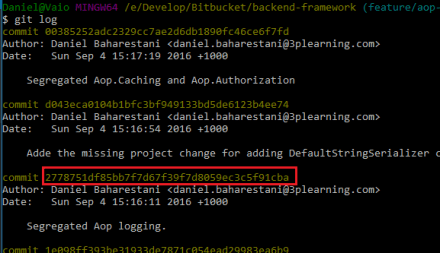
- Identify one revision before the commit you need to update. In the following example, the last two commits are going to be updated.

- Run git rebase command with the identified commit number:
git rebase -i 2778751 - In the editor, for each commit you need to update, change the word
picktoedit. (Make sure you know how to use the Vim editor) - Run the following command to set the author to the current configured git user:
git commit --amend --reset-author --no-edit
Or use the following to set it to a custom author:git commit --amend --no-edit --author="Author Name <email@address.com>" - Run
git rebase --continue - Repeat step 4 and 5 until all of the commits are updated.

